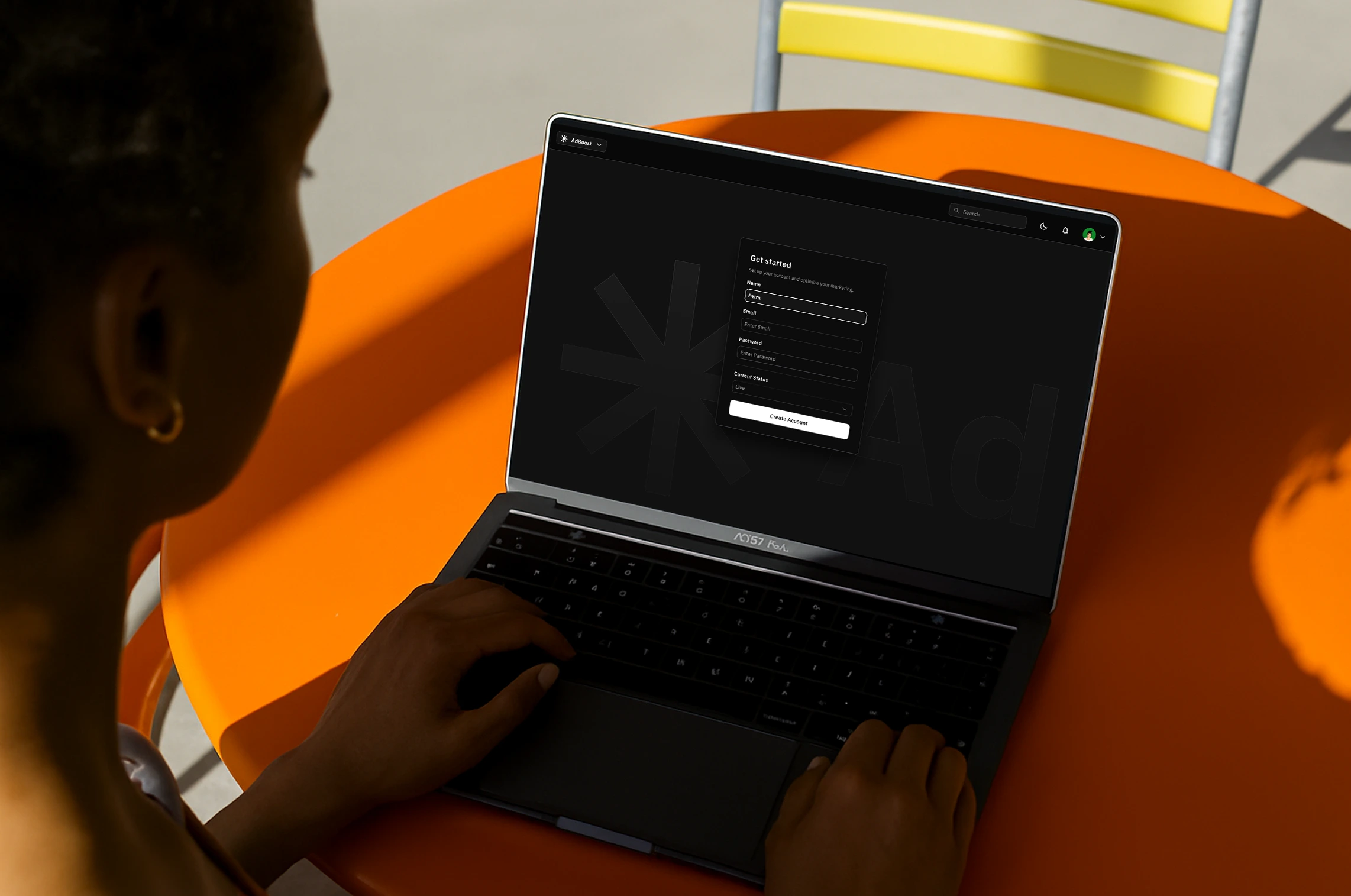
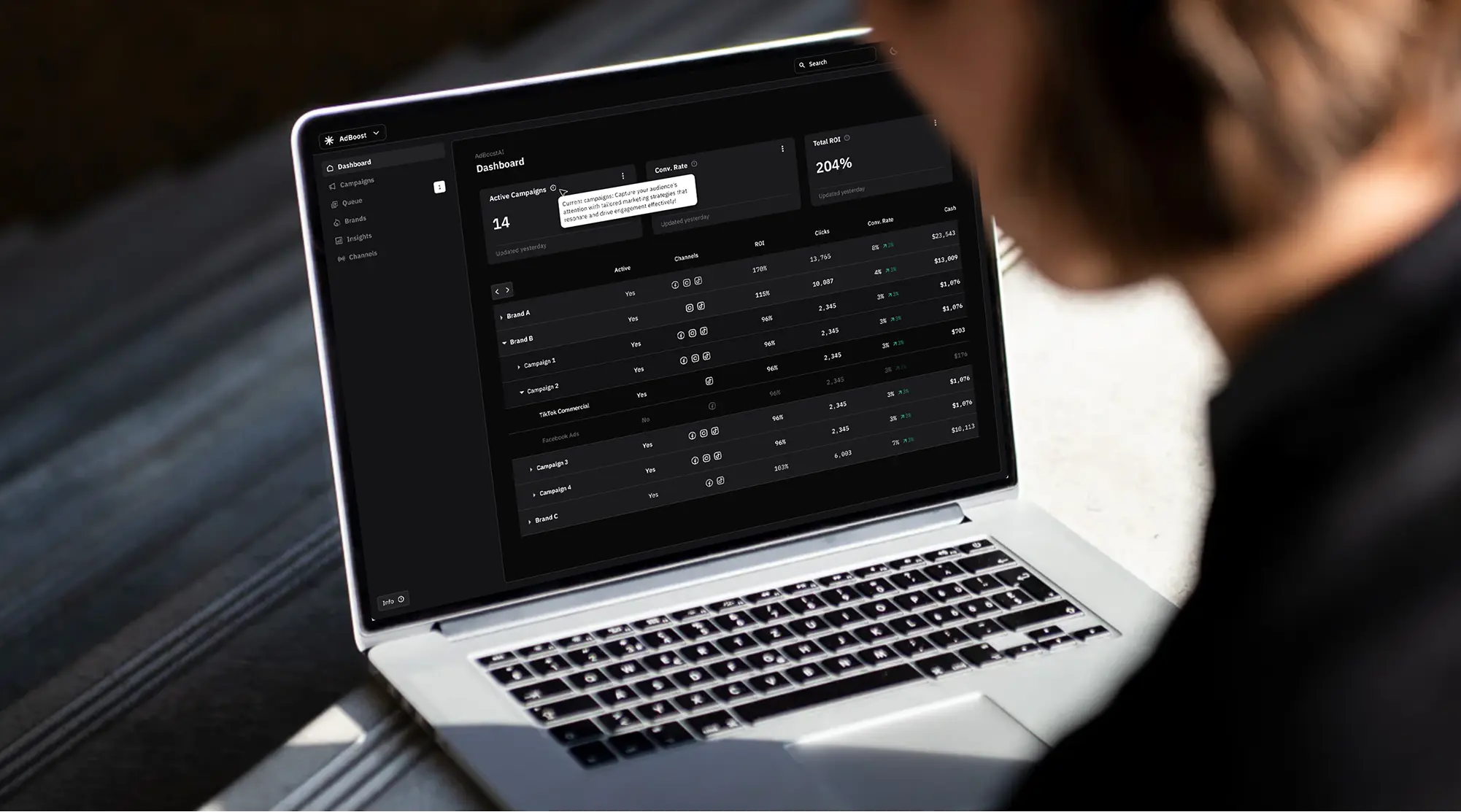
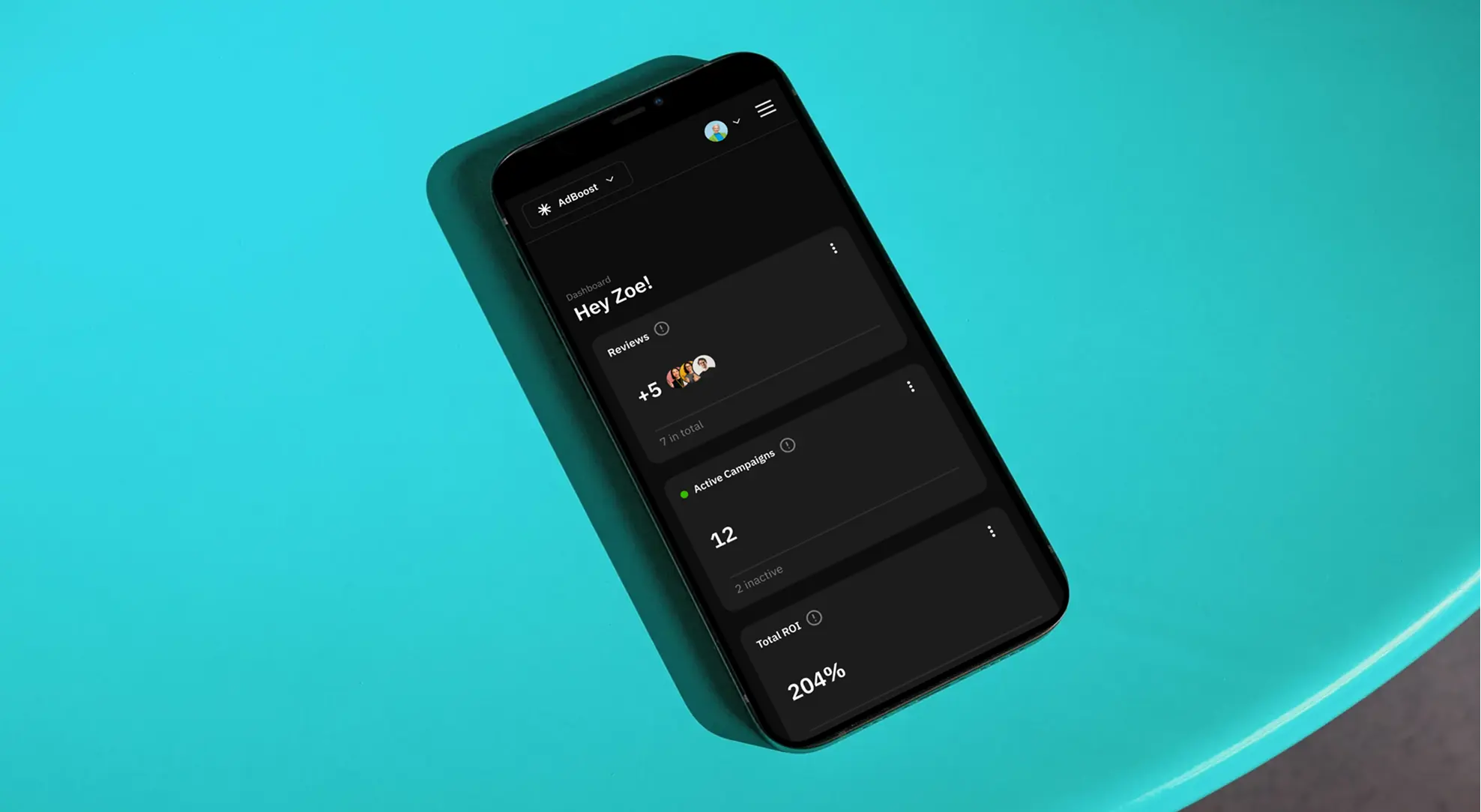
Adboost empowers small teams to launch and optimize marketing campaigns. I designed an MVP.
I created the MVP for an AI marketing tool developed by a startup aiming to simplify campaign management for small businesses. My role included UX research, wireframing, and UI design, always aligned with product objectives.
Product
SAAS
Timeline
Q1 2024 - Q2 2024
Skills
Product Design
Prototyping
Collaborators
PromoPilot
My Impact
I designed an MVP for PromoPilot that translated business goals into a clear, testable product experience.
About PromoPilot
PromoPilot is a startup developing smart solutions to simplify campaign planning for small marketing teams.
About AdBoost
AdBoost empowers small teams to launch and optimize marketing campaigns with AI-driven insights and a user-friendly experience.
Goals
Specific Focus
Existing tools felt too complex or generalized for the team's focused workflow.
Simple Structure
Research showed a streamlined, repeatable process reduces friction and mistakes.
Reliable
Stakeholders struggled to brief partners without a shared digital workspace.
Users
Content Writer
Produces compelling content and schedules it in line with campaign timing and AI suggestions.
Digital Advertiser
Plans and fine-tunes campaigns using real-time AI targeting and performance data.
Project Manager
Manages tasks, timelines, and team coordination using AI-powered workflow tools.
Designer
Creates visuals and integrates them seamlessly using the campaign planning interface.
Client
Reviews campaign progress, gives feedback, and stays in the loop through AI-generated summaries and dashboards.
User Research
Quantitative research
I conducted a structured Google Forms survey to understand user needs for AI marketing tools. Each user group answered targeted questions to uncover priorities and usage habits.
Demographics:
Gender: Slight male majority.
Ages: Mostly 29–30, followed by 31–42.
Position: Primarily Marketing, followed by Design & Dev
Tool Usage:
Most users engage with marketing automation tools weekly.
Features & Budget Preferences:
Top Feature: AI-driven suggestions and performance tracking stood out.
Budget Range: Most users preferred tools priced between $100–199/month.
Total Respondents
74
Qualitative research
I conducted 7 in-depth interviews—5 from marketing, 2 from other departments—to dig deeper into workflows and automation benefits.
Sample questions:
How does AI enhance digital marketing effectiveness?
How can AI tools reduce team overload?
What challenges arise when automating campaigns?
What are some of the most pressing challenges facing marketers today?
What is the level of customer engagement and satisfaction acvhieved through digital marketing automaton compared to traditional manual approaches?
What are some potential challenges or drawbacks of using marketing automation
Total Interviewees
7
Competitor Analysis
HubSpot Marketing Hub
All-in-one platform for CRM, inbound marketing, and automation—great for small to mid-sized businesses.
Mailchimp
User-friendly tool for email marketing and automation with built-in design features and campaign templates.
Active Campaign
Powerful email automation and CRM focused on segmentation, customer journeys, and lead nurturing.
Adobe Marketo Engage
Enterprise-level solution for marketing automation, lead management, and personalized B2B campaigns.
Brevo
Affordable all-in-one platform for email, SMS, and automation—ideal for growing small businesses.
Hootsuite
Popular tool for managing, scheduling, and analyzing social media campaigns across multiple platforms.
Competitor Postioning
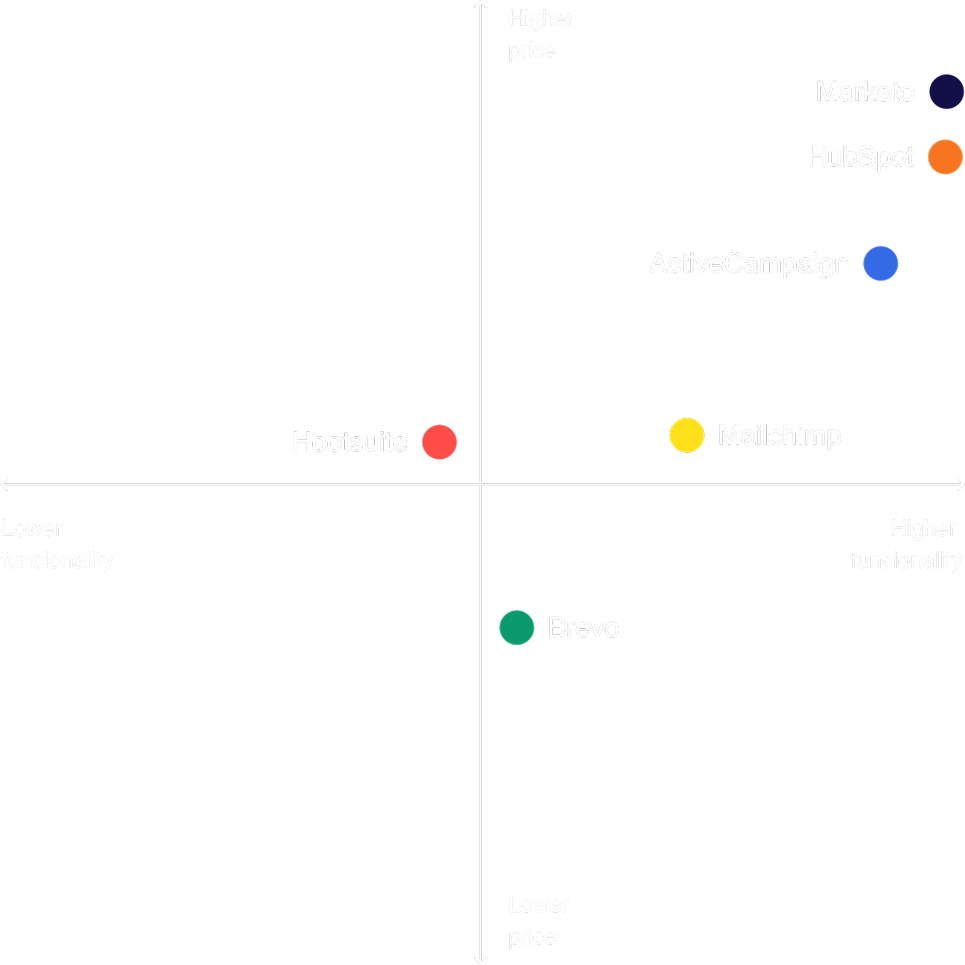
To assess AdBoost’s potential, I compared six tools on pricing and feature depth. Most were too complex or expensive for small teams. This revealed a gap: a smart, lightweight AI campaign tool tailored for lean teams.
HubSpot Marketing Hub: CRM-first, comprehensive, becomes expensive when scaling
Mailchimp: Intuitive, mainly for email and newsletters
ActiveCampaign: Strong automation with a CRM focus
Adobe Marketo Engage: Complex, aimed at enterprise-level users
Brevo: Versatile for small teams, great value for money
Hootsuite: Focused on social media management
Affinity Diagram
Challenges
Implementation
complexity
Limited resources
Dataintegration
& quality
Alignment with business goals
Customer trust & engagement
ROI
measurement
Automation
overload
Adaptibility
to change
Personalizate
& relevance
Benifits
Efficiency &
productivity
Segmentation
Scalability
Data-driven
decison
Increase productivity
Consitent
Messaging
Customer Experience
Personalization
Measurable Results
User flow: Content Writer
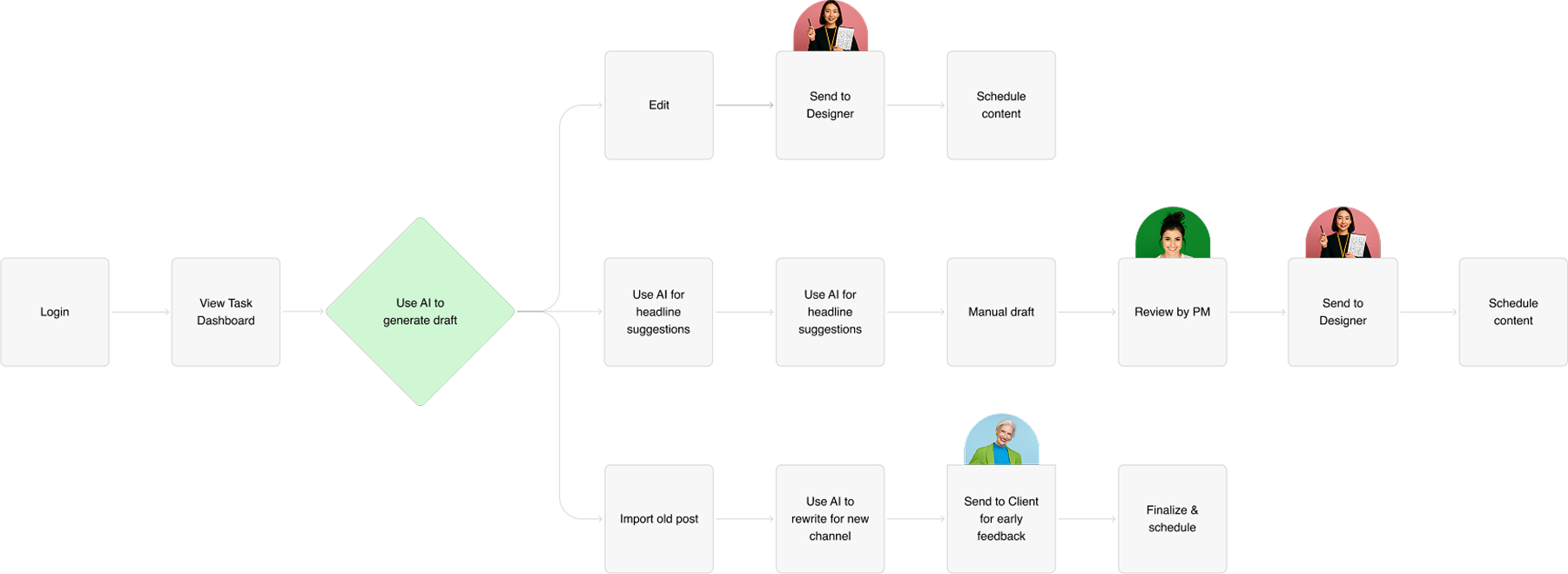
The Content Writer leverages AI to create, rewrite, or optimize content depending on the task – whether starting fresh, recycling old posts, or quickly adapting across channels.
Benefits:
Flexible workflow supports different content creation strategies
Saves time by using templates and clear structures
Reduces revision cycles by involving other roles early
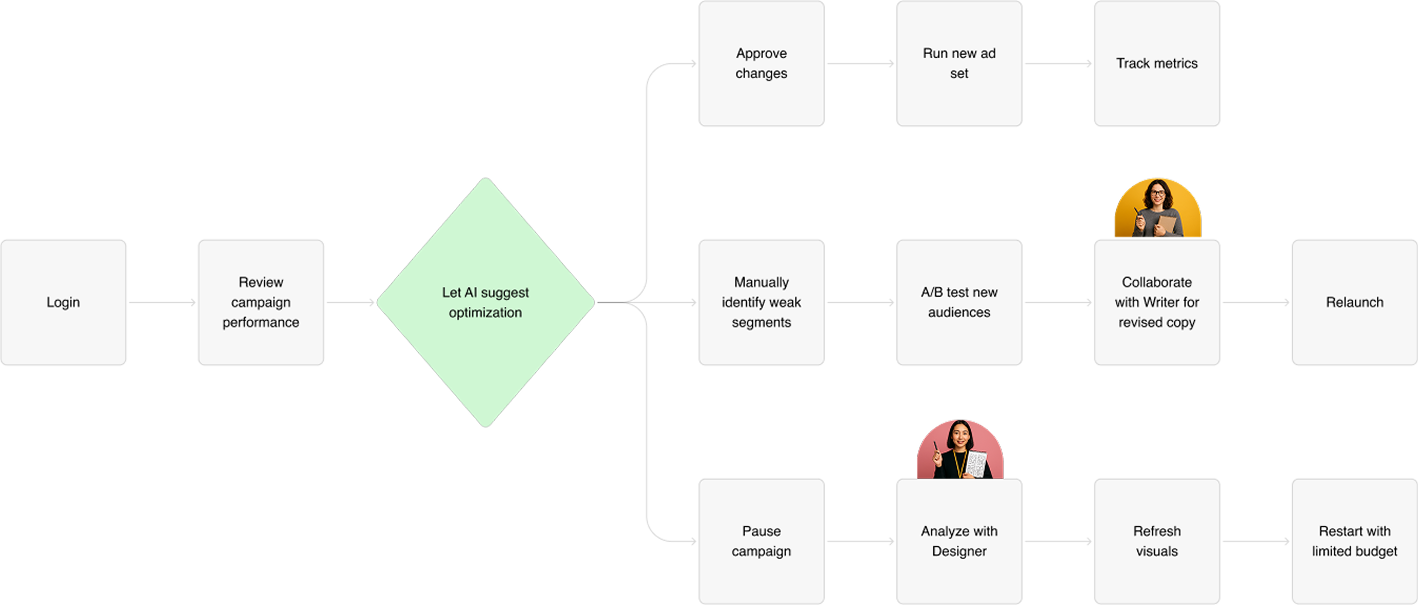
User flow: Digital Advertiser
The Project Manager either automates task assignments or plans hands-on with the team and client. They manage team alignment, feedback loops, and campaign pacing.
Benefits:
Data-based adjustments using performance metrics
Builds transparency with cross-role planning
Adapts to team needs in real time
User flow: Manager
The Project Manager either automates task assignments or plans hands-on with the team and client. They manage team alignment, feedback loops, and campaign pacing.
Benefits:
Reduces micromanagement with smart AI delegation
Builds transparency with cross-role planning
Adapts to team needs in real time
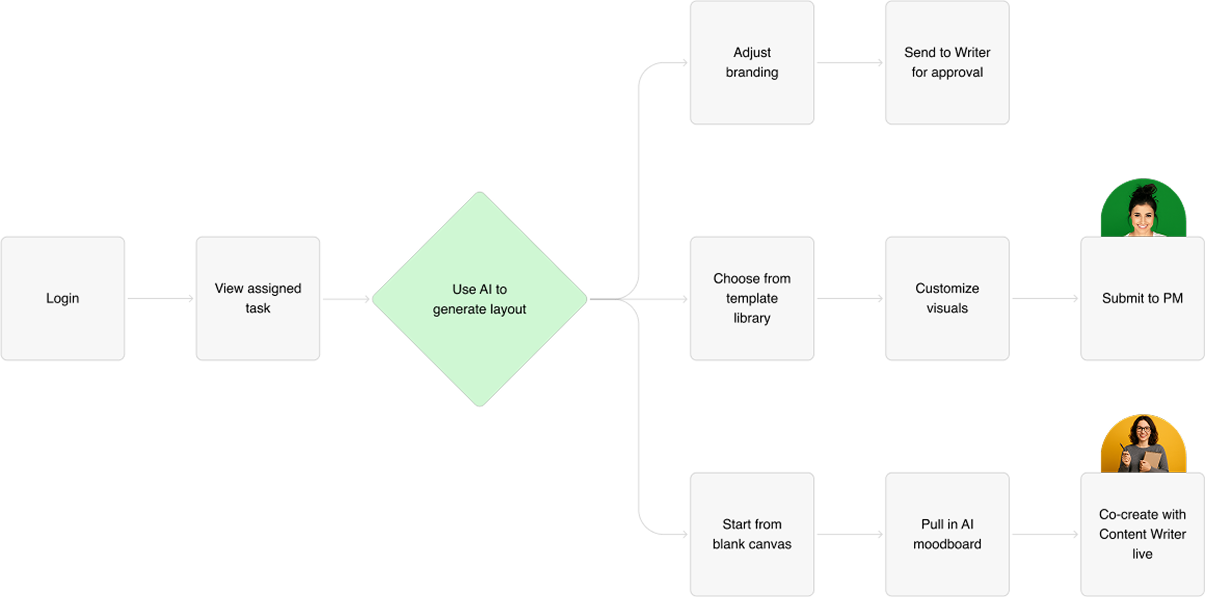
User flow: Designer
Designers can choose between AI-assisted layouts, prebuilt templates, or a completely manual creative process. They integrate branding elements and collaborate with other roles.
Benefits:
Supports both rapid prototyping and deep design work
Encourages creativity while saving time
Seamless integration with Writer and PM workflows
Solution
4 roles
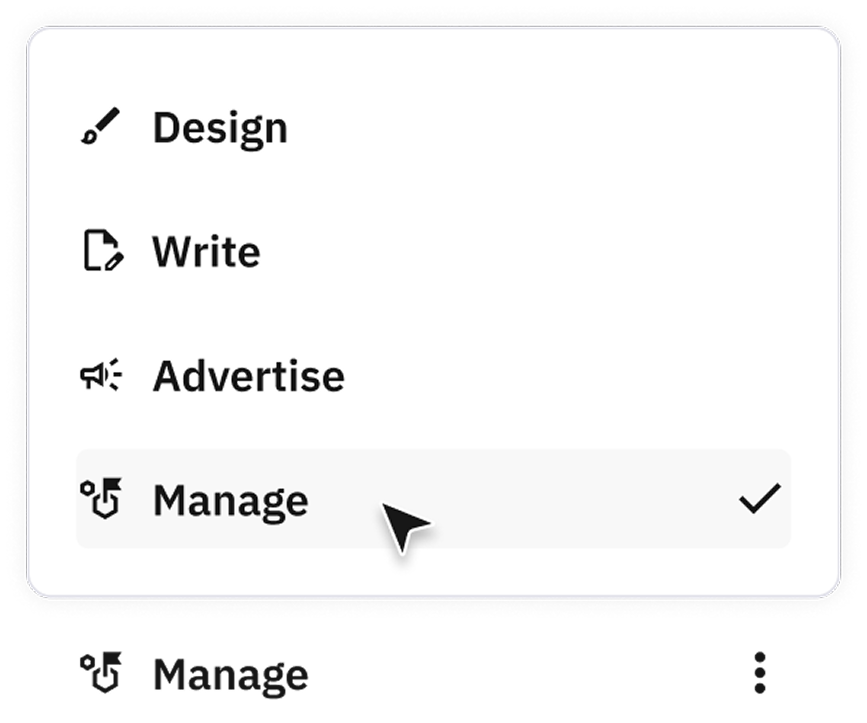
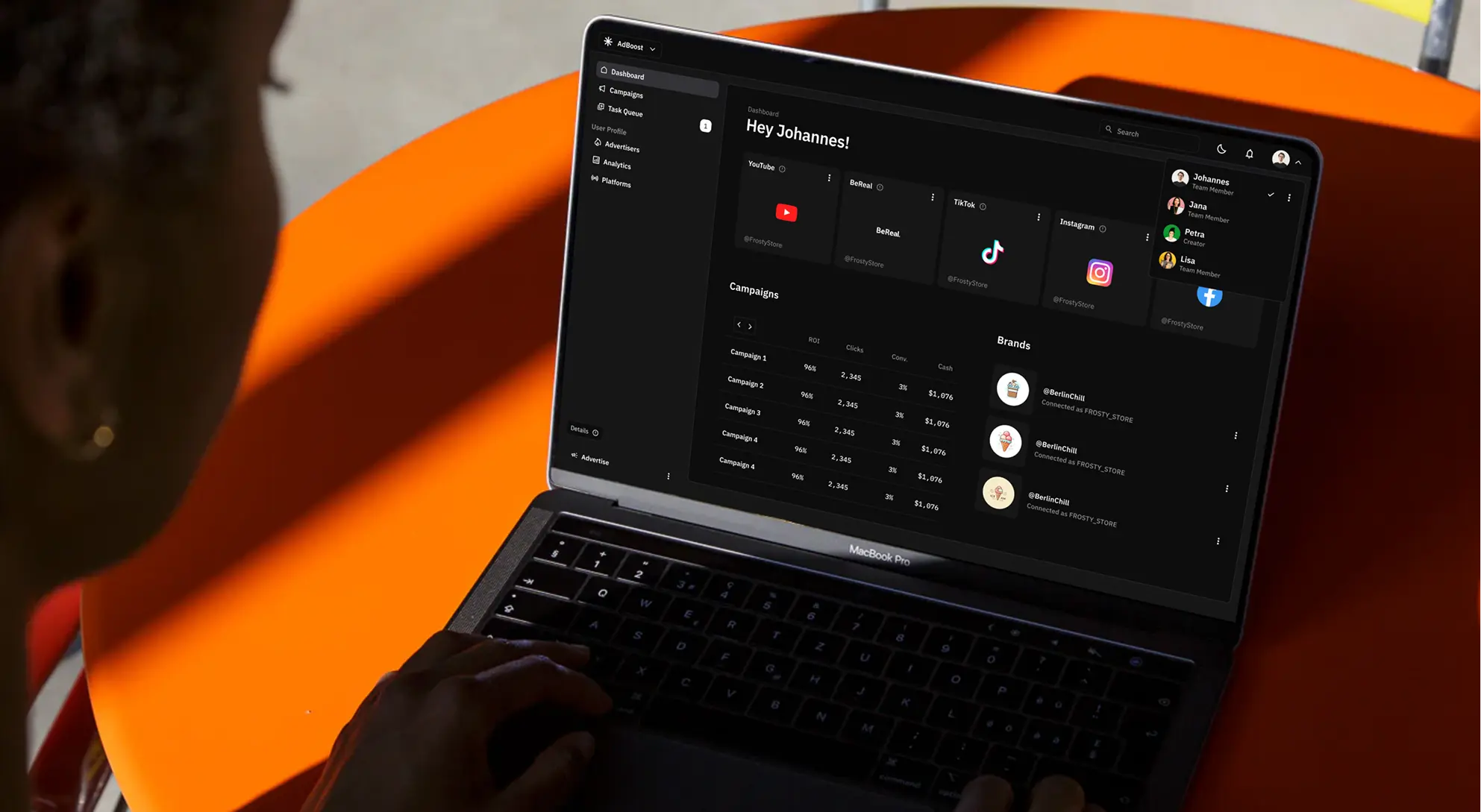
AdBoost is structured into four dedicated modes – Design, Advertise, Manage, and Write – each built around the core tasks of a specific user group. This role-based setup allows team members to focus on what matters most to them while staying aligned with shared campaign goals. It reduces friction, supports clarity, and encourages effective collaboration across functions.
Manage
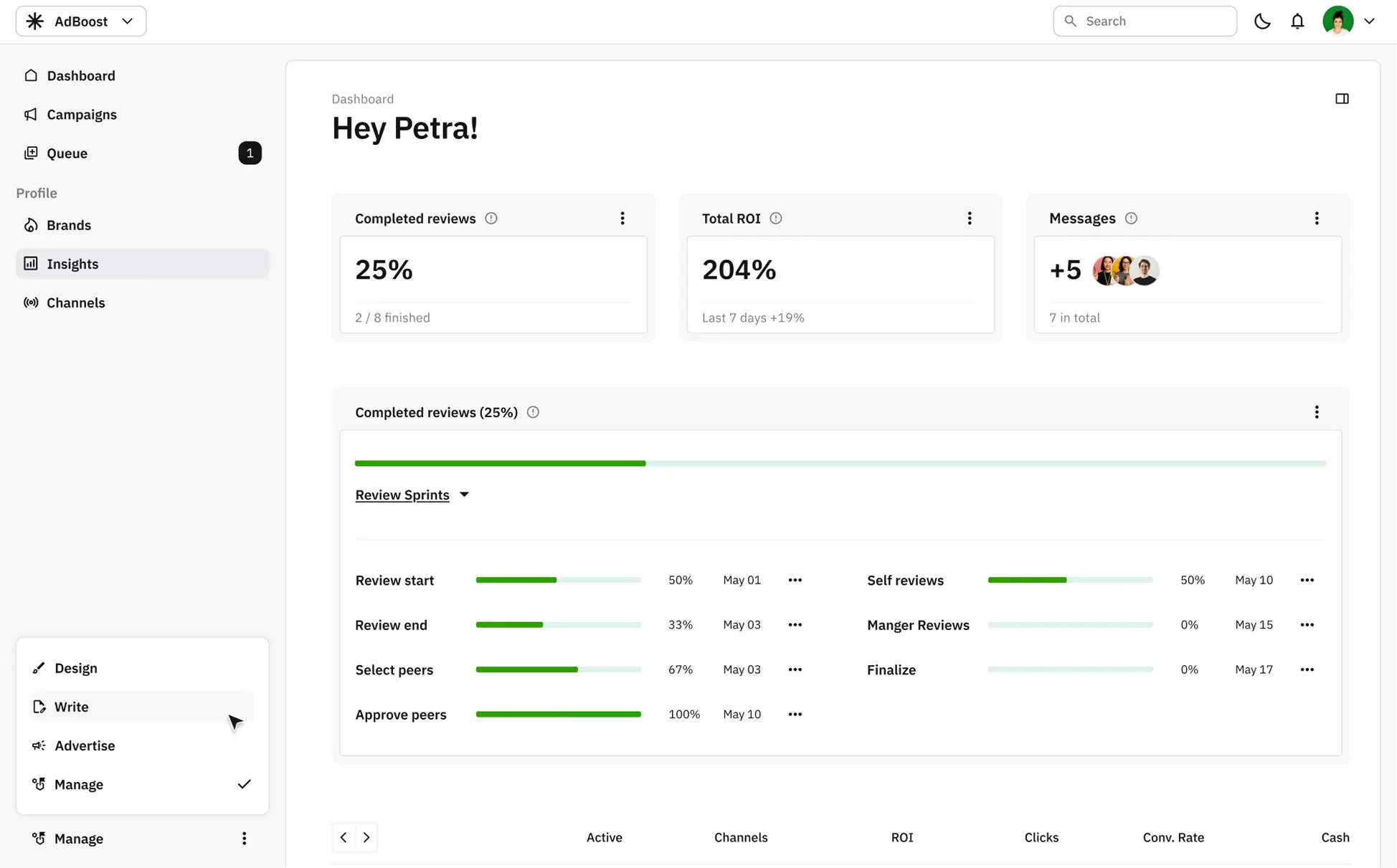
The dashboard provides the Project Manager with a structured overview of project timelines and progress, supporting clear prioritization and cross-team coordination.
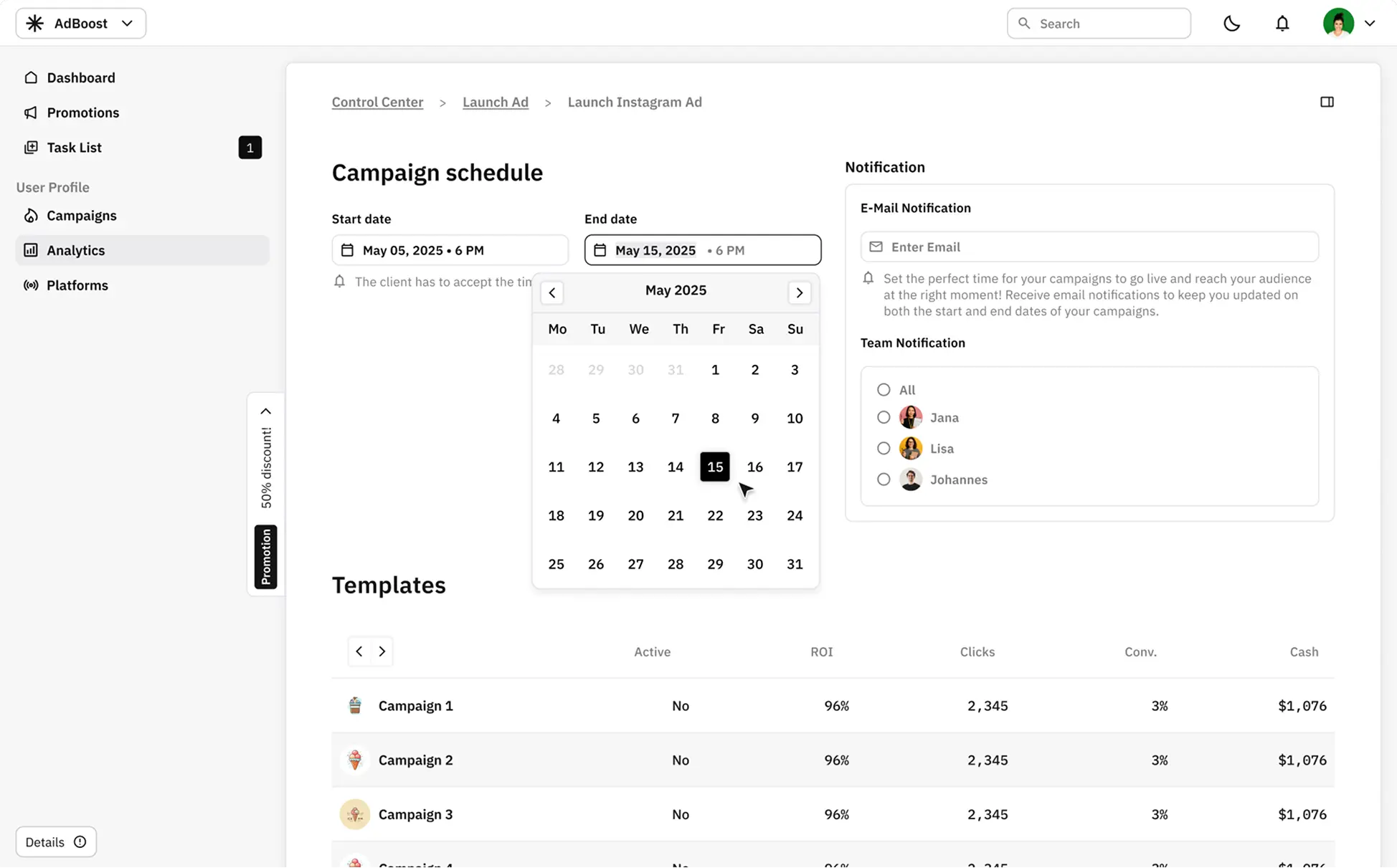
Schedule
Planning features allow the Project Manager to set timelines, notify team members, and define responsibilities—streamlining collaboration within ongoing campaigns.
Overview
This entry point reflects the Advertiser’s need for direct access to channels and campaign performance, reducing friction in daily workflows and strategic decisions.
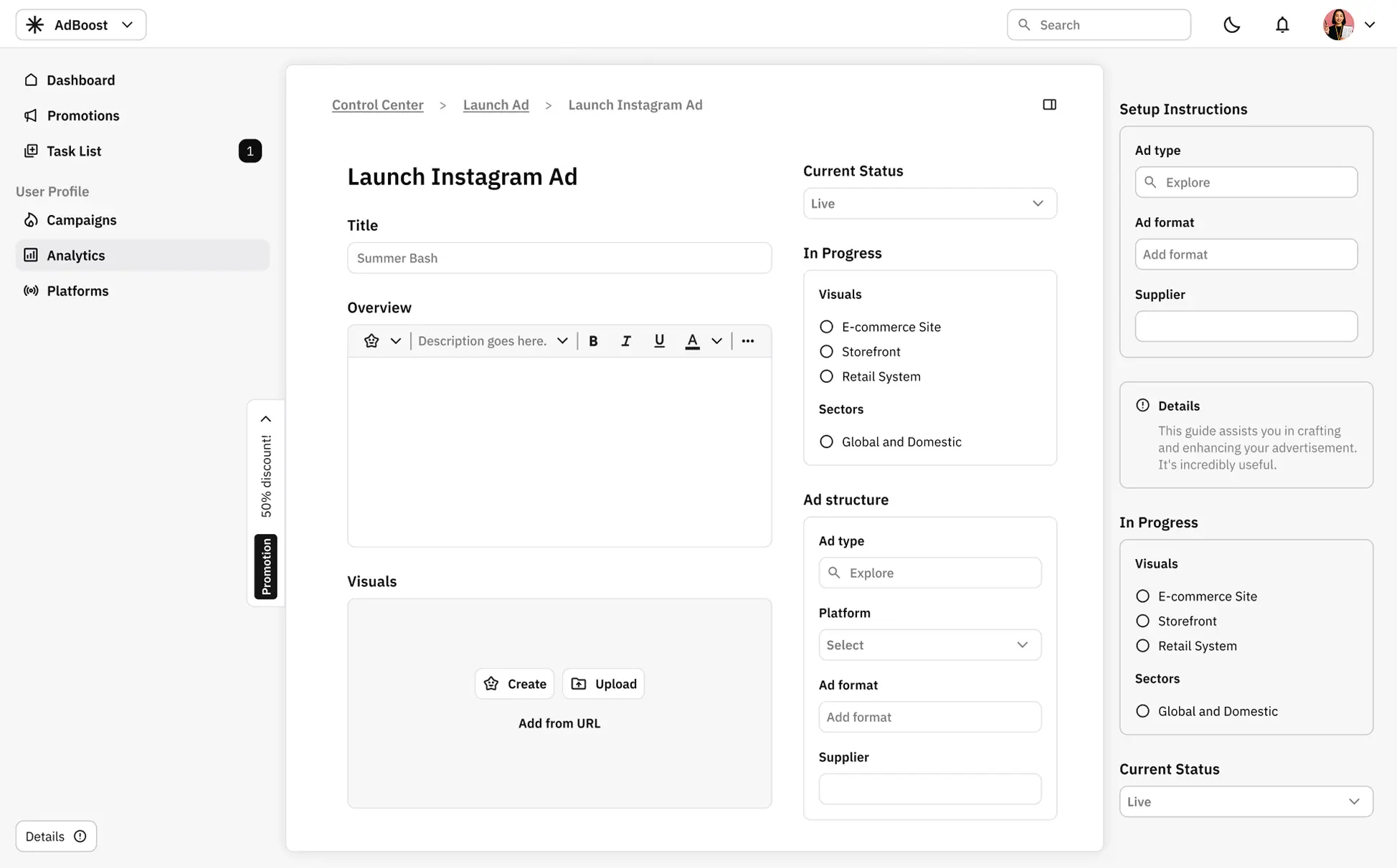
Launch
The interface supports content writers with clear structures for campaign setup, offering flexibility while ensuring alignment with broader campaign goals.
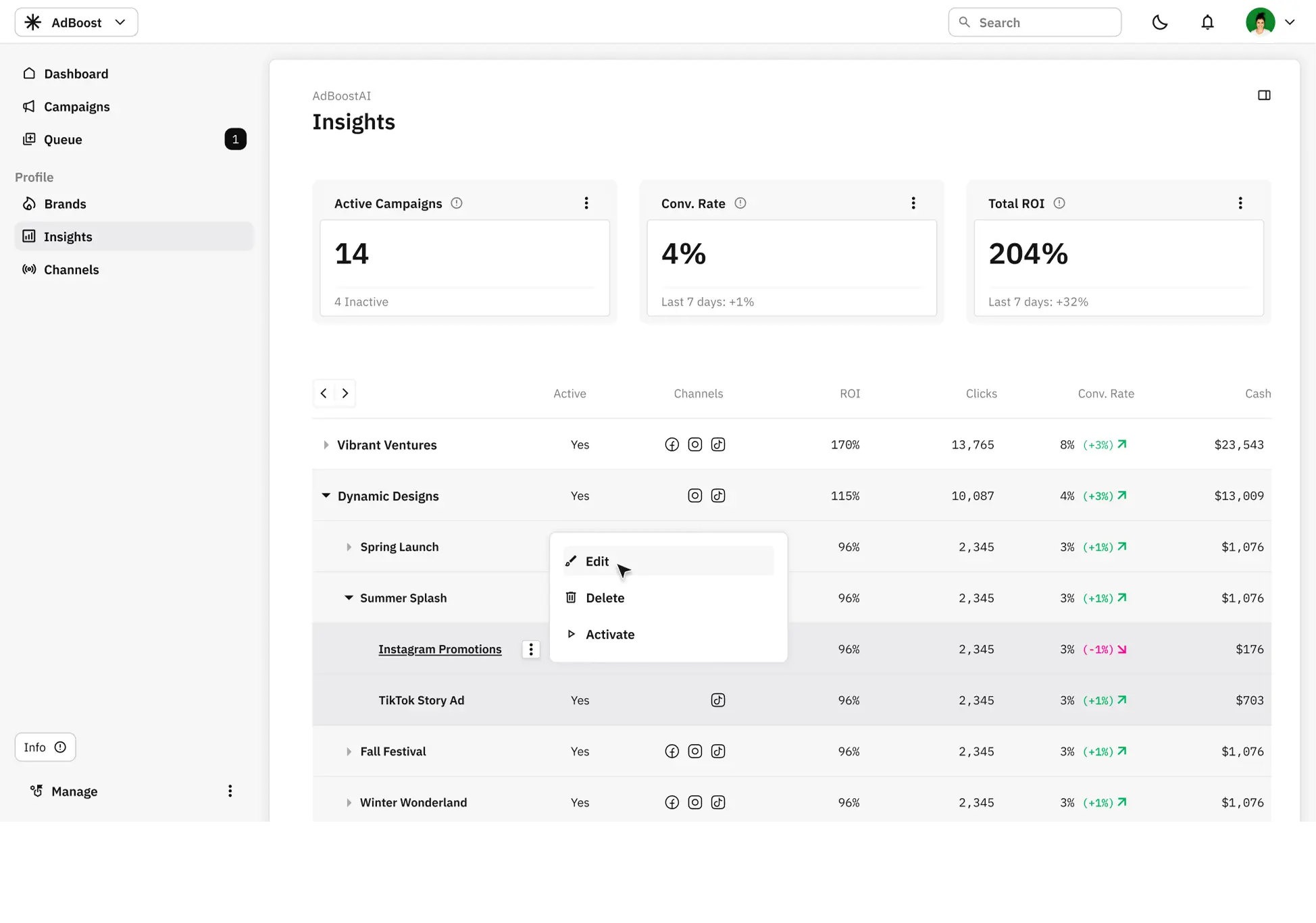
Performance
A dedicated view for performance metrics helps advertisers monitor outcomes and make informed decisions. The layout emphasizes clarity and data legibility.
Supervise
The Client mode start screen is minimal, focused, and visually clean. It’s optimized for quick, on-the-go interaction and avoids overwhelming the user. Everything is read-only or designed for one-tap decisions (like approve or comment).
Let’s turn ideas into experiences that truly connect.